A little clarity. A longer life for your Mac.
Your Mac has
more life left.
Understand your options, prepare for changes, and keep a useful Mac useful. A thoughtful, free companion from AnsonAlex.
Requires macOS 10.15.4+ on Intel, or macOS 11+ on Apple silicon.

Less guessing. A clearer next step.
Get to know the Mac
you already have.
One calm place for your Mac’s details, documented macOS options, preparation and troubleshooting.
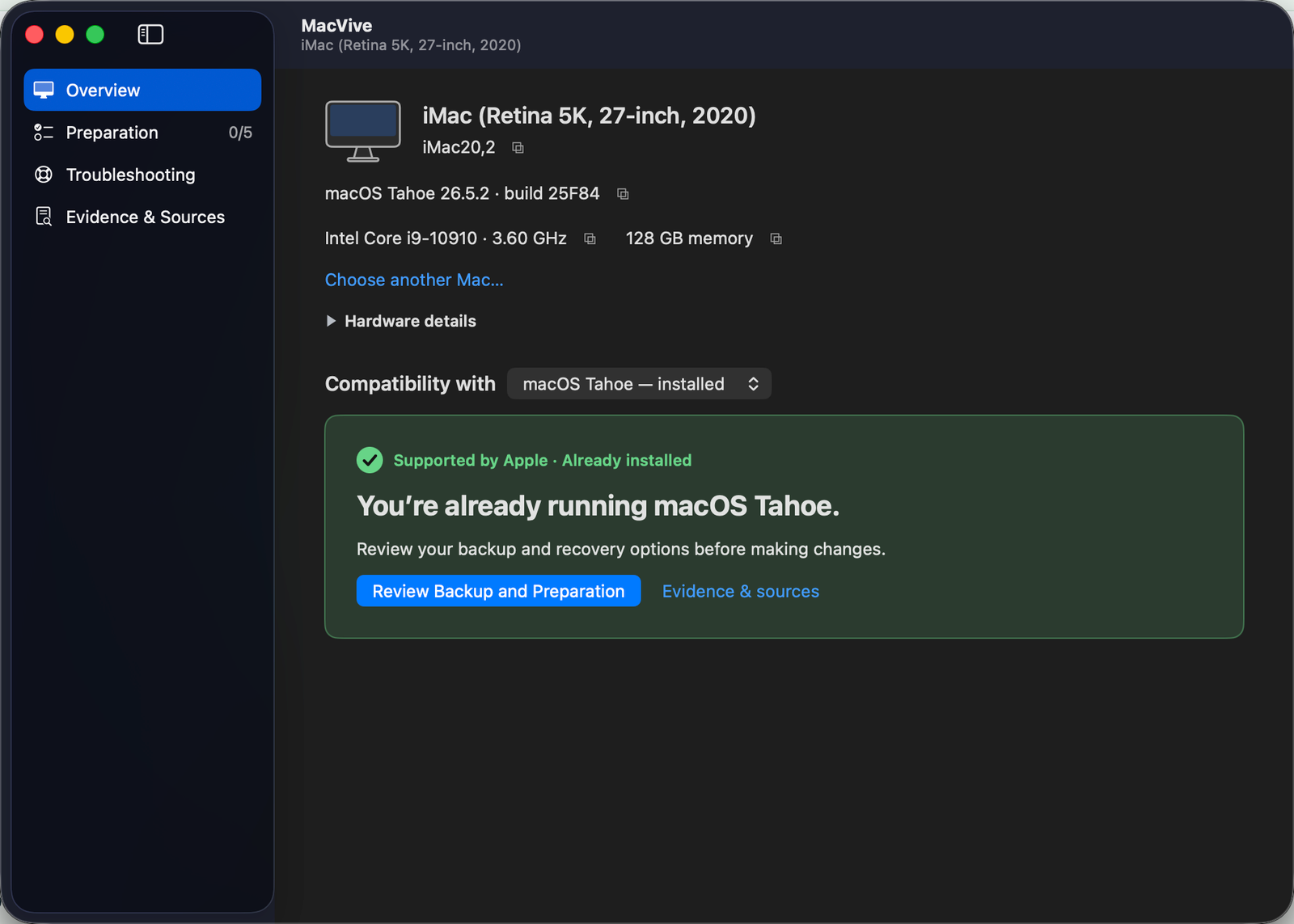
The MacVive beta on a supported Intel iMac. Your Mac’s options may be different.
- 01
Understand your options.
See your reported model, installed macOS and documented upgrade paths. Official support, experimental options and unknowns stay distinct.
- 02
Prepare with a plan.
Review backup, storage, essential apps and recovery. Local readings help where they can; your confirmations stay honest about what remains unverified.
- 03
Find a place to start.
Choose the problem you’re seeing. Get scoped troubleshooting for startup, networking, graphics and updates, with links to original guidance.
Useful information. Honest limits.
The newest macOS
isn’t always the best
next step.
A working Mac matters. MacVive helps you weigh the options without turning uncertainty into a green light.
Supported by Apple
Published model support, with installer and app requirements still to check.
Experimental paths
Unsupported options need exact hardware, macOS build and patcher review. A model listing is not a successful-install guarantee.
Not enough information
When identity or evidence is uncertain, MacVive says so. Staying with the macOS that works is a valid choice.
MacVive · offline plan
A plan to keep
close by.
Your Mac · Your selected macOS
Illustrative preview of the offline plan.
Help that goes with you.
Before you restart,
take the plan.
Save a self-contained HTML plan to read on another device. Keep your preparation checklist, troubleshooting and recovery reminders nearby while your Mac is busy.
The saved guidance works offline. Source links need internet, and phone checkboxes don’t sync back to your Mac.
Good questions.
Before you begin.
Can I download MacVive yet?
The free beta is coming soon. This website introduces the project; there is no public app download yet.
Does MacVive install macOS or patch my Mac?
No. MacVive explains documented options and helps you prepare. It does not install macOS, apply root patches, change EFI or format disks. Actual installations need the appropriate Apple or Dortania instructions and a recoverable backup.
Will it work on my older Mac?
The native app requires macOS 10.15.4 or later on Intel, or macOS 11 or later on Apple silicon. A Mac still running an earlier stock system cannot launch this build. Recognizing a model does not prove a particular unsupported installation will work.
Do I need an account or internet connection?
No account is required. Core detection, planning, troubleshooting and saved guidance work locally. Opening source links and some sharing services require internet. Read the privacy explanation.
Who’s behind MacVive?
MacVive is an independent project by AnsonAlex, creator of practical technology tutorials. It is not affiliated with or endorsed by Apple or the OpenCore Legacy Patcher team.
More useful years.
One thoughtful next step.
MacVive is being prepared for a free beta.
Free beta coming soon